Your external drive,
mirrored to iCloud.
DriveTwin keeps a full two-way copy of your drive in iCloud — every file safe in the cloud, and almost none of it taking up space on your Mac.
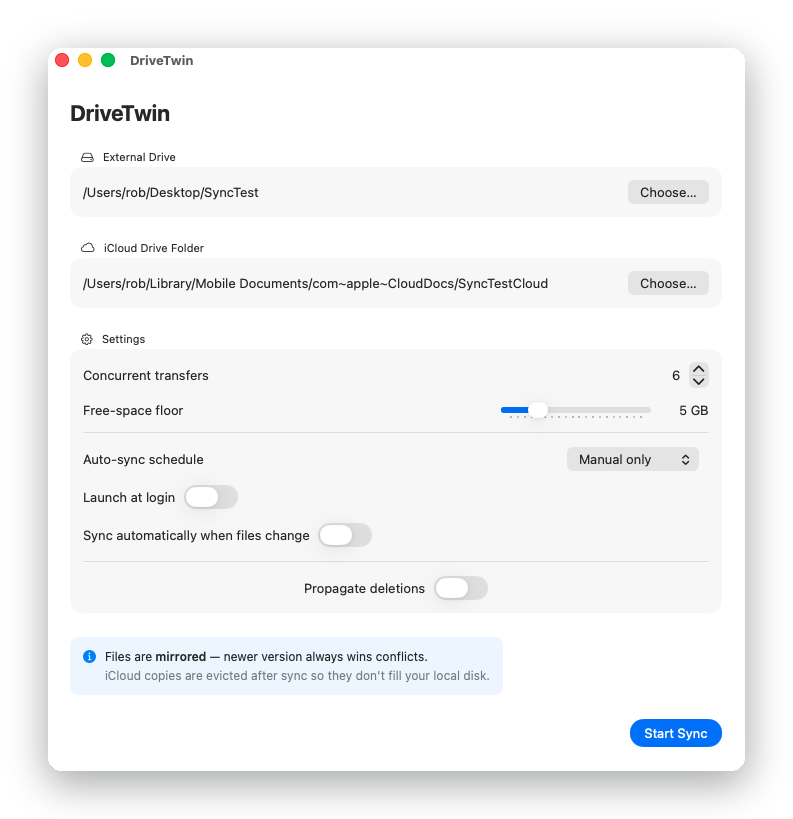
DriveTwin keeps a full two-way copy of your drive in iCloud — every file safe in the cloud, and almost none of it taking up space on your Mac.
Pick two folders, review the plan, and let it run.
You have hundreds of gigabytes on an external drive — photos, projects, years of files. You want them safe in iCloud. But iCloud has to copy everything onto your Mac first, and your Mac doesn't have hundreds of gigabytes to spare. Drag the folder in and macOS grinds to a halt: “Your disk is almost full.” Scripts and manual copying fail the same way — the disk fills faster than iCloud can drain it. (Why does iCloud fill up your Mac?)
DriveTwin trickles files through that bottleneck automatically — uploading, confirming, and clearing local space file by file, for as long as it takes.
Three steps, then it runs itself.
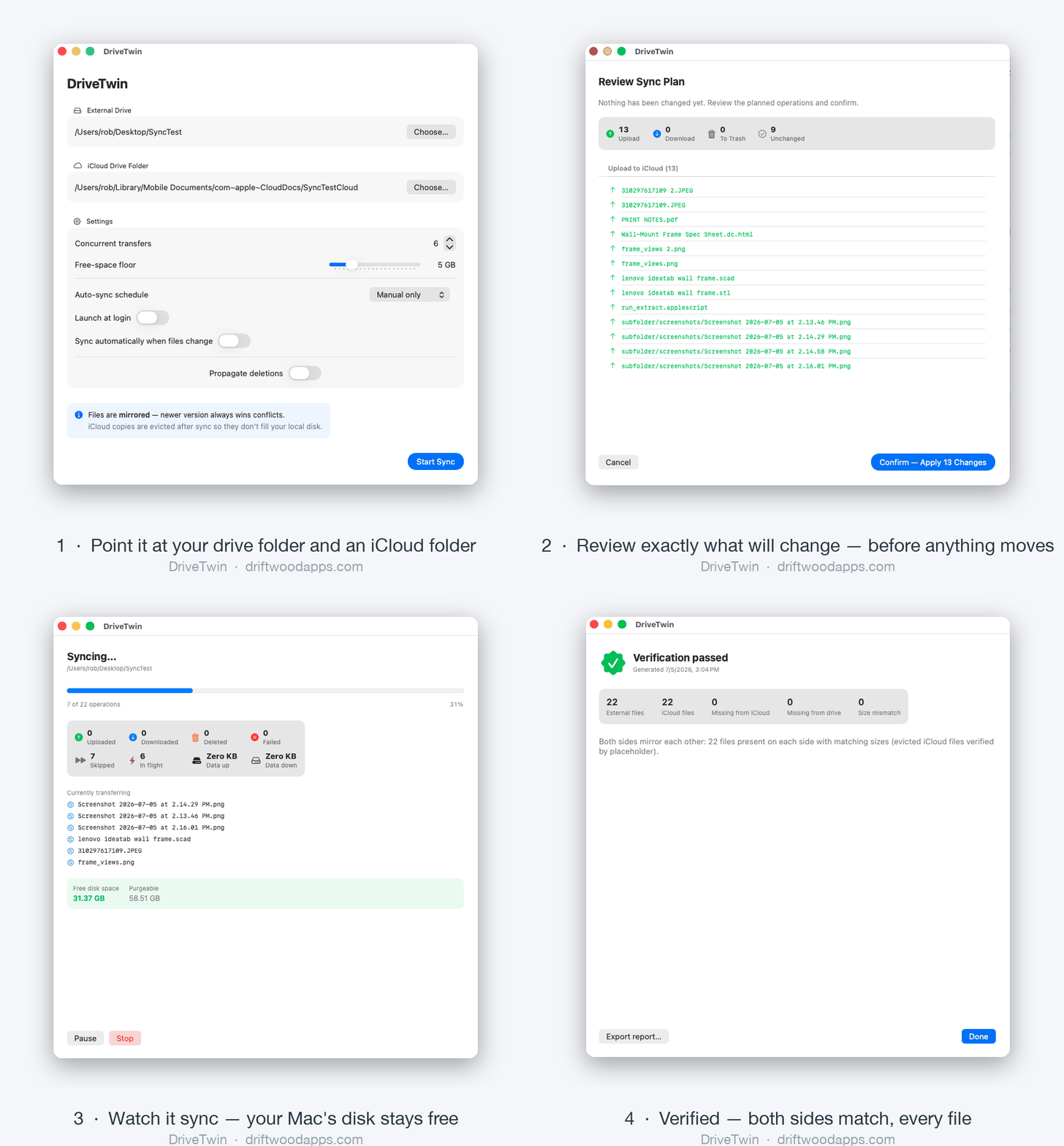
Your external drive folder and a folder in iCloud Drive. That's the whole setup.
Before anything moves, DriveTwin shows exactly what it will upload, download, or remove — and waits for your OK.
Files upload to iCloud and local copies are released as each one is confirmed safe. Your Mac stays light; your files stay everywhere.
Because it does.
Full two-way mirror, or upload-only to push your Mac up to iCloud without pulling cloud-only files back down. Newer version wins; nothing is overwritten silently.
Every manual sync shows the full plan — each upload, download, and deletion — before a single byte moves.
Deletion syncing is off by default, and when you turn it on, removed files go to the Trash — never straight to oblivion.
Drive unplugged mid-scan? DriveTwin notices that "everything vanished" is suspicious and stops cold instead of wiping the mirror.
Uploaded files are released from local storage automatically, and syncing pauses whenever free space runs low — on either disk.
Sync on a schedule, or automatically when files change. Lives in your menu bar, starts at login, and tells you what it did.
Photos libraries, Lightroom catalogs, and other package files sync as complete, verified units — never released from your drive until they're fully in iCloud.
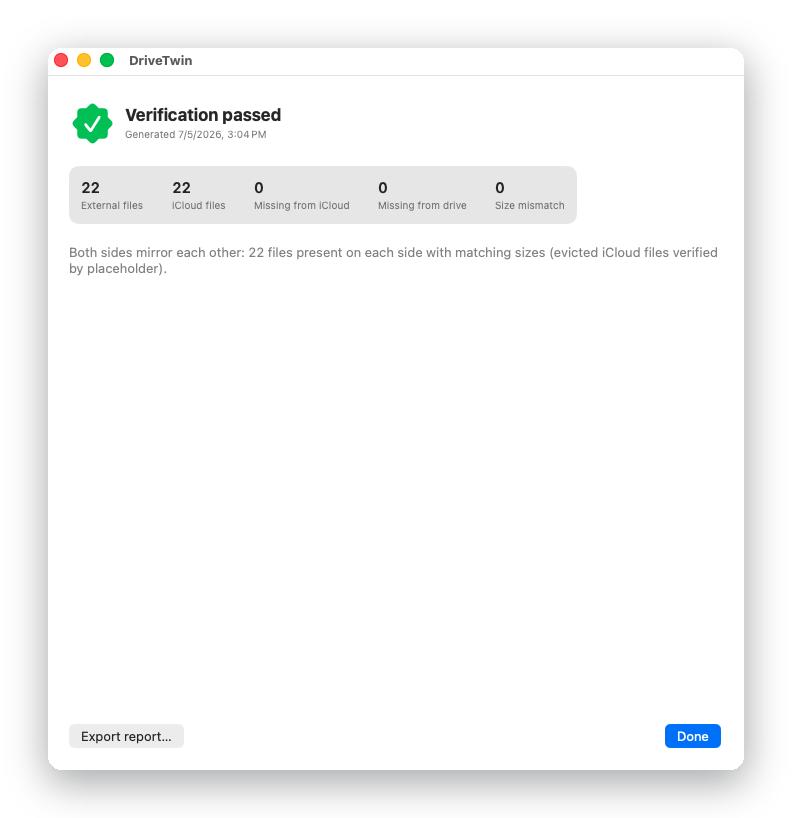
A built-in verification pass compares both sides — every file, both directions — and hands you the receipts.
Buy it once. It's yours.
No — that's the whole point. Files stage locally just long enough for iCloud to confirm the upload, then the local copy is released so only a lightweight placeholder remains. If free space ever drops near your configured floor, syncing pauses until iCloud catches up.
By default, nothing is deleted on the other side — a missing file is restored on the next sync, which makes DriveTwin behave like a self-healing backup. If you enable deletion syncing, removals are mirrored — but always to the Trash, so you can recover them.
The version with the newer modification time wins. And if a file was deleted on one side but edited on the other, the edit wins — DriveTwin restores the edited file rather than deleting your work.
Yes — your iCloud plan needs room for everything you mirror. DriveTwin moves the files; Apple provides the storage (iCloud+ plans go up to 12 TB).
macOS 15 or later, iCloud Drive enabled, and enough iCloud storage for your files. DriveTwin is a native Swift app — no Electron, no background daemons beyond the app itself.
If DriveTwin isn't right for you, reply to your purchase receipt within 14 days and you'll get a full refund — no questions asked.